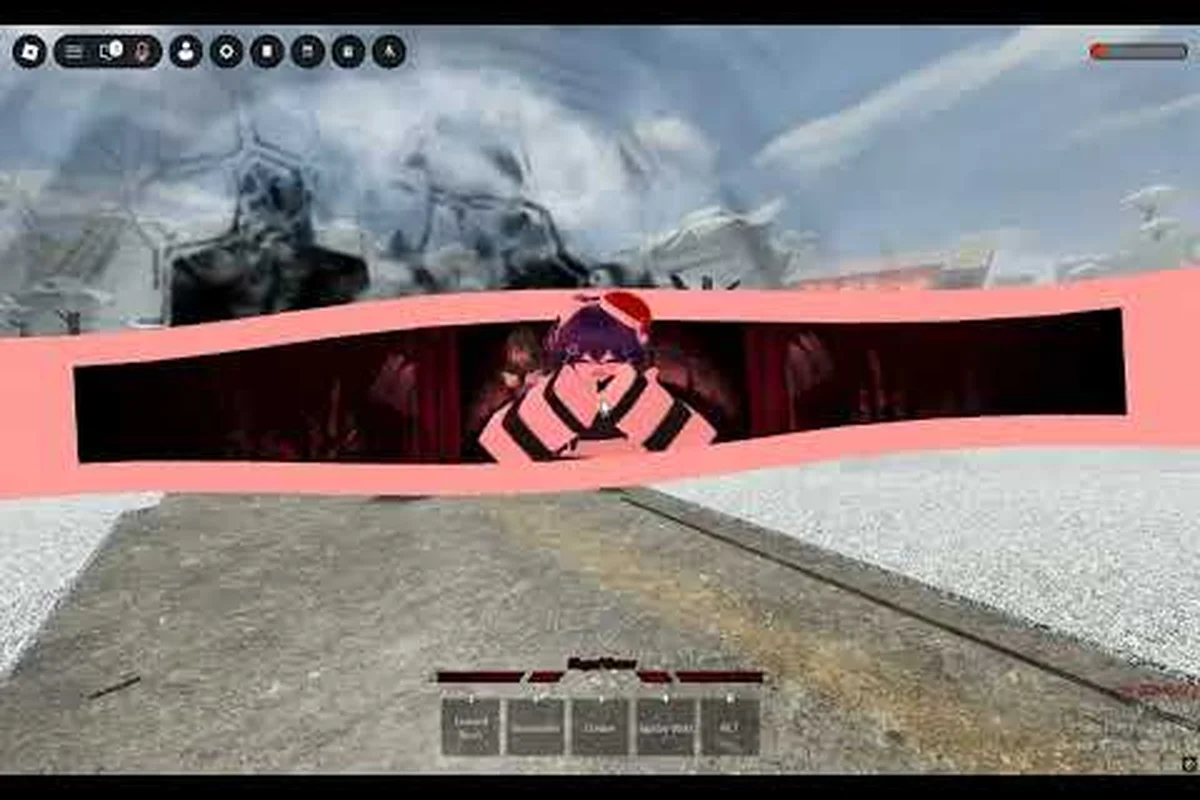
The Jump Showdown Skill Builder lets every fighter skip the grind of unlocking characters one by one and jump straight into testing dream matchups. Pasting a share string into the import field is the fastest path to a custom moveset, because the workshop reads the encoded payload, validates the four skill slots plus the awakening tag, and drops you into a sandbox session within seconds. Players who master this paste-and-test loop climb the casual ladder far more efficiently, since they iterate on cross-roster combos like Gojo's Lapse Pull chained into Kratos's Axe Slam without ever touching the story-mode grind.
How the Jump Showdown Import Custom Moveset System Works
The Skill Builder treats every share string as a portable blueprint rather than a save file. The encoded payload covers exactly four skill IDs drawn from across the entire roster, a single awakening transformation, and a small metadata header that stores the build name, author tag, and version stamp. When you paste a code, the server deserializes that payload, checks that each referenced skill is currently available in your client version, and then spawns your avatar with the chosen awakening already applied. The result is a fully kitted custom moveset that behaves identically in private sandbox matches and public arena queues, which makes share strings a true portable currency inside the Jump Showdown community.
Anatomy of a Share String Payload
Every share string follows a fixed schema, even though the visible characters look random. The first segment identifies the build version, the second holds the author tag, the third packs the four skill slot IDs, and the fourth encodes the awakening transformation. The Skill Builder UI trims whitespace automatically and rejects codes whose length falls outside the expected range, so copying a code from a screenshot works as reliably as dragging a text file.
| Segment | Purpose | Example Range |
|---|---|---|
| Header | Build version + checksum | 6-8 alphanumeric chars |
| Author Tag | Creator handle or guild tag | 4-12 chars |
| Skill Slots | Four skill IDs (M1, M2, E, R) | 16-20 char packed string |
| Awakening | Single transformation ID | 4-6 char suffix |
| Trailer | Sandbox flag + region code | 3-5 chars |
Why Paste Beats Manual Slotting
Manually slotting skills inside the workshop requires opening four separate dropdowns, scrolling the full roster, and confirming each pick. A share string collapses every selection into a single paste action, and the UI then highlights any slot whose reference no longer exists in the current patch. This matters because community reports suggest that mid-patch rotations sometimes retire a skill ID for a week or two, and a stale import would otherwise leave a player wondering why their build runs three attacks instead of four.
Setting Up the Workshop Before You Import
The Skill Builder is a sandbox mode, so you can import without owning the underlying characters, but the workshop still asks for a host region and a damage-scaling preset before it accepts a paste. Picking the Standard scaling preset keeps every skill at its canonical damage, which is the right call for combo theory-crafting, while the Tournament preset applies a 1.08 multiplier that mirrors ranked play. Private servers let you swap presets on the fly, but public sandbox lobbies are locked to whichever preset the host selected at queue time.
Required Permissions and Slots
You need a stable connection to the Jump Showdown matchmaker, plus an active session token from the main menu. The workshop refuses imports when the session is in a ranked queue, and it caps custom moveset testing to two sandbox lobbies per account during a rolling 10-minute window. That throttle exists to keep competitive queues healthy, and according to community data it rarely triggers unless a player is spamming the paste button faster than the UI can validate codes.
| Step | Action | Expected Result |
|---|---|---|
| 1 | Open Skill Builder from the main menu | Workshop lobby loads in 3-5 seconds |
| 2 | Pick a sandbox region | Region badge appears in the lobby header |
| 3 | Select damage preset | Preset name shows in the top-right HUD |
| 4 | Open the Import panel | Paste field accepts text up to 80 chars |
| 5 | Paste the share string | Skill icons populate within 1 second |
Sandbox vs Live Import
A sandbox import spawns you with a free-roam camera and a training dummy, which is the ideal environment for testing hitbox interactions and frame data. A live import, available only after you save a custom moveset to a personal loadout slot, deploys the same code into real matches against other players. Most theory-crafters iterate entirely in sandbox and only push to live once they have a one-shot combo they trust against human reactions. The Jump Showdown Skill Builder hub page documents both flows and confirms the live import inherits every sandbox-tested property, including awakening tag and skill cooldown overrides.
Popular Custom Loadout Codes to Test First
Community-driven share strings cluster around a few archetypes, and starting with these proven templates is faster than designing a build from scratch. The most popular sandbox codes right now revolve around the One-Shot Alchemist Hybrid, the Infinite Mobility Speedster, and the Hybrid Guard-Break Sentinel. Each one demonstrates a different design philosophy, so importing all three gives you a full sense of what the Jump Showdown custom loadout guide ecosystem treats as meta.
Tier Comparison of Community Meta Builds
| Build Name | Core Strength | Skill Slots (M1/M2/E/R) | Awakening | Tier |
|---|---|---|---|---|
| One-Shot Alchemist Hybrid | Burst damage at 30% HP threshold | Alchemy Burst / Acid Pool / Transmute / Last Elixir | Crimson Flask | S |
| Infinite Mobility Speedster | Constant gap-closing pressure | Side Dash / Q-Dash / Air Drift / Afterimage | Storm Cloak | S |
| Hybrid Guard-Break Sentinel | Layered defense denial | Shield Breaker / Projectile Poke / Launcher / Unblockable Grab | Stone Titan | A+ |
| Elemental Zoner | Space control at mid-range | Ember Shot / Frost Wave / Lightning Strike / Quake Stomp | Radiant Aura | A |
| Counter Assassin | Frame-one reversals into punish | Parry Stance / Counter Slash / Dash Cancel / Finisher | Shadow Step | A |
The One-Shot Alchemist Hybrid is the clearest example of a jump showdown one shot custom build, because every skill in the set feeds the same scaling curve. Acid Pool applies a damage taken debuff, Alchemy Burst consumes the debuff for double output, and Last Elixir grants a final-frame multiplier that pushes the total above any opponent's health bar. Importing this build and stress-testing it against a training dummy at varying HP thresholds is the fastest way to internalize how awakening modifiers stack.
Hybrid Moveset Philosophy
A jump showdown hybrid moveset build blends at least two archetypes into a single share string, which is why the guard-break sentinel slots both a projectile poke and an unblockable grab in the same kit. That kind of redundancy removes the opponent's defensive options, because blocking the poke leaves them open to the grab while dodging the grab telegraphs the poke. The skill creator tool has no rule against cross-archetype mixing, so hybrid builds are the most common type of share string floating around community Discords right now.
Step-by-Step Jump Showdown Import Custom Moveset Walkthrough
Walking through the jump showdown import custom moveset flow end-to-end removes the guesswork for first-time users, because the Skill Builder UI is essentially a one-to-one visual translation of the share string schema described earlier. In practice you open the jump showdown skill creator tool, select the fighter and core move slots (jump, mid-air attack, slam, and getup wakeup), then paste the encoded string into the Import field and confirm that the on-screen preview matches the original before the loadout is written to the active profile. This dry-run preview is what protects you from silently overwriting a working jump showdown custom loadout with a misaligned jump showdown hybrid moveset build pulled from a bad source.
Locating a Share String
Most players start by browsing the Jump Showdown Discord or watching the tier-list video that ranks custom moveset builds against the current patch meta. The YouTube guide from Jimpee's Cabin walks through several top custom codes with frame data overlays, and the creator publishes every build they showcase directly in the video description, so you can copy a code without pausing the playback. Treat those creator-published codes as a starting baseline rather than a final answer, because minor patch adjustments sometimes shift which skills you want to prioritize.
Pasting and Validating
Open the Import panel inside the Skill Builder, click into the paste field, and hit Ctrl+V (or tap and hold on mobile). The UI runs a checksum pass and either accepts the string immediately or highlights the offending character in red. Validation failure usually means a stray space at the start or end of the string, which the paste field does not auto-trim. A successful import populates all four skill icons and the awakening portrait within roughly one second, and the lobby header updates to show the author tag from the encoded payload.
Saving to a Personal Loadout
After you test the imported build in sandbox, the Skill Builder offers a Save to Loadout button that pins the share string to one of your six personal loadout slots. Saved loadouts survive client restarts, so you can queue a ranked match tomorrow and still pull the same build without re-pasting the code. The slot system is shared across characters, which means you can store six jump showdown custom combo builds on a single account and rotate them based on the opponent you expect to face.
Tuning Imported Builds for Personal Playstyle
Imported share strings are public blueprints, so they reflect the original creator's preferred matchup flow. Tuning them for your own habits means swapping one or two skills, retesting the combo routes, and saving a personal variant under a new share string. The skill creator tool makes this loop painless because the export button re-encodes your current selection into a fresh share string, which you can paste back into Discord or save in a private notes file for later.
Common Adjustments to Test
| Adjustment | Why It Helps | Risk |
|---|---|---|
| Swap M1 projectile for faster poke | Wins neutral against dashers | Loses chip damage |
| Replace E skill with mobility option | Improves escape routes | Trades a defensive layer |
| Change awakening to match starter archetype | Better awakening synergy | Lower base stat spread |
| Add custom passive setup slot | Boosts a single attribute | Locks one skill slot |
A custom passive setup is one of the most overlooked tuning levers, because it lets you bias a hybrid build toward either damage, speed, or durability without touching the four primary skill slots. Players who prefer a jump showdown one shot custom build tend to push the passive toward raw damage amplification, while mobility-focused pilots redirect the same slot into cooldown reduction. If you want a deeper breakdown of how passive slots interact with the broader skill roster, the Jump Showdown skill synergize guide covers the math behind those trade-offs in detail.
Exporting Code Strings for Community Variants
Once you have a tuned build you like, exporting it is the same single-click action as importing. The export panel generates a fresh share string with your author tag baked into the header, and you can copy it directly to clipboard or share it to a connected Discord server through the in-game integration. Sharing variants is how the meta evolves, because the next person to import your build might add a passive setup you never considered, and the cycle of iteration is what keeps the Jump Showdown custom loadout guide ecosystem moving forward.
Comparing Paste Import to Other Custom Moveset Methods
Paste import is the fastest path to a custom moveset, clocking in at 2–5 seconds per loadout, but it is not the only method and each alternative carries distinct trade-offs. Manual slotting teaches the skill tree's structure through hands-on repetition, character unlock grinds gate progress behind roster ownership, and code redemption events introduce seasonal skills that may later migrate into the permanent client. Understanding these trade-offs across options helps you pick the right workflow for your goals, since a theory-crafter iterating on combo builds needs paste import's iteration speed, while a new player benefits from manual slotting's forced exposure to every skill description in the current client.
| Method | Speed | Skill Access | Best For |
|---|---|---|---|
| Paste Import | 2-5 seconds | Any skill in current client | Theory-crafting, meta shifts |
| Manual Slotting | 1-3 minutes | Any skill in current client | First-time workshop exploration |
| Character Unlock | Hours to days | Only the unlocked roster | Long-term progression players |
| Code Redemption Events | Varies | Event-locked skills | Seasonal content |
Paste import wins on raw speed, and it is the only method that does not require you to own the source characters. Manual slotting is a good teaching exercise for new players because it forces them to read every skill description, but it gets tedious once you know exactly which four skills you want. The character unlock path is the slowest route and the one the Skill Builder exists to bypass, while code redemption events layer in time-limited skills that sometimes rotate back into the standard roster a few patches later.
Troubleshooting Common Import Errors
Even with a perfectly clean share string, the Skill Builder can still reject a paste or return a custom moveset that does not behave as expected, because the import validator checks four independent layers: the share string checksum, the 4-skill ID set against the current patch index, the awakening rotation flag, and the lobby's accepted preset type. The most common silent failure is a checksum mismatch caused by an invisible trailing space from a screenshot OCR copy, which is why the table below treats that row as the first symptom to rule out before suspecting a retired skill or preset incompatibility.
| Symptom | Likely Cause | Fix |
|---|---|---|
| Red error highlight on paste | Trailing whitespace or bad checksum | Re-copy the source string |
| Three skill icons instead of four | One skill ID retired mid-patch | Import a refreshed build |
| Awakening portrait missing | Awakening not in current rotation | Pick a backup awakening |
| Lobbies refuse the build | Server preset mismatch | Switch to a Standard preset lobby |
| Share string too short | Truncated copy from screenshot | Re-export and re-copy |
The most common issue reported by community testers is the truncated screenshot, because phone clipboards sometimes drop trailing characters when the string length crosses a 64-character threshold. The cleanest workaround is to export the build yourself, then share the freshly generated string rather than the one captured in a video frame. For stubborn cases where the Skill Builder UI itself misbehaves, the Jump Showdown share moveset codes walkthrough includes a reset procedure that clears the local cache and restores default validation behavior.
Building Long-Term Skill With Custom Combo Practice
Imported builds are training wheels, not a permanent crutch, and the players who climb the highest ranks treat paste strings as starting points rather than loadouts they queue with forever. Spending an hour in sandbox with a single imported build teaches you the spacing, the cancel windows, and the wakeup options of four skills drawn from across the roster. That kind of cross-character muscle memory is what separates ranked climbers from casual sandbox dabblers, and it is the underlying reason the Skill Builder exists in the first place.
A useful practice routine is to pick one imported build per day, run ten minutes of neutral practice against a moving training dummy, then spend another ten minutes recording combo routes from different starter situations. By the end of a week you have a personal library of seven custom combo builds, each one backed by real frame data rather than guesswork. Players who want to push further into high-damage routes and infinite combo theory can layer the Jump Showdown Q-Dash combos material on top of the Skill Builder fundamentals, since the dash routes documented there map cleanly onto any imported moveset that includes a gap-closing skill.
Frequently Asked Questions
Where do I paste a Jump Showdown custom moveset share string?
Open the Skill Builder from the main menu, enter a sandbox lobby, and click the Import button in the lower-right corner of the workshop UI. Paste your share string into the highlighted field, and the Jump Showdown import custom moveset workflow will populate all four skill icons plus the awakening tag within about one second.
Can I import a build without owning the original characters?
Yes. The Skill Builder is a sandbox mode that grants temporary access to every skill in the current client version, so the jump showdown import custom moveset flow works even for characters you have not unlocked yet. Note that sandbox access does not carry over to ranked queues, where you still need the character unlocked before queuing with their skills.
How do I export my own custom moveset codes?
Build your four-slot moveset inside the workshop, then click the Export button at the top of the skill panel. The skill creator tool encodes your selection, awakening, and a small metadata header into a single share string. Copy that string to your clipboard and paste it anywhere for community distribution.
What makes a good one shot custom build?
The strongest jump showdown one shot custom build stacks a damage debuff, a consumer skill that scales off that debuff, and a final-frame multiplier tied to a low-HP awakening. The One-Shot Alchemist Hybrid template on community Discords is a clean example, because every slot feeds the same scaling curve.
Are hybrid moveset builds stronger than single-archetype builds?
A jump showdown hybrid moveset build usually outperforms a single-archetype build in casual play because the layered options deny opponent defensive choices. In tournament play, hybrid builds sometimes lose to specialists who master a single archetype, so the right answer depends on your skill ceiling with each archetype.