What a Jump Showdown Training Dummy Actually Does for You
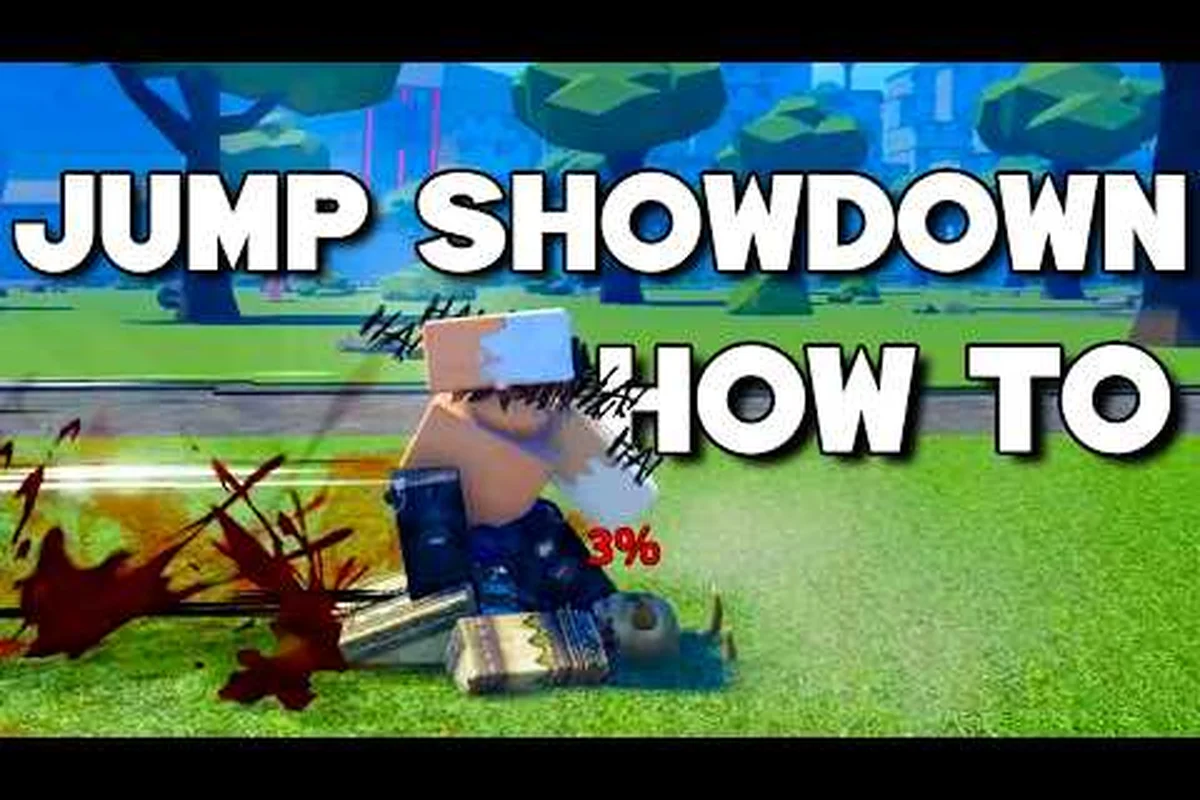
A Jump Showdown training dummy sits in the lobby area as a stationary opponent that never blocks, never parries, and never ragdolls unexpectedly. You can swing at it for hours without it logging out, queueing, or trash-talking. The dummy is the single fastest way to convert Jump Showdown controls from conscious thought into automatic reflex, because every successful hit, every whiffed dash cancel, and every dropped combo string gives you immediate visual feedback without the pressure of a real player punishing your mistake.
Most new fighters underestimate the training dummy because it feels too easy. According to community data collected from the Jump Showdown Discord, players who spent even 20 minutes on the dummy before their first ranked match reported noticeably cleaner M1 sequences and fewer dropped parry timings. The dummy removes the social anxiety layer of the game so you can focus entirely on the combat engine.
The dummy is exceptional for any skill that depends on your own body executing consistent inputs — M1 string consistency, dash-cancel extension timing, wall splat damage loops, and combo route memorization all transfer directly to live matches because the hurtbox geometry is identical. What it cannot replicate is the decision tree of a live opponent: adaptive mixup reads, wakeup tech variations, and parry timing windows that shift based on an enemy's rhythm. Think of the dummy as your mechanical layer drill and real FFA lobbies as your mind-game layer drill — the following table breaks down exactly which skills each environment actually trains.
| Skill Area | Can the Dummy Train It? | Why It Matters |
|---|---|---|
| M1 string consistency | Yes | The dummy's hurtbox is identical to a live opponent, so spacing and hitbox data transfer directly |
| Parry timing | Partially | The dummy does not attack back, so you must simulate enemy M1s by swinging at a second account or counting beats |
| Dash cancel extensions | Yes | The dummy is ideal for testing M1x3 into Q-dash resets on the third hit |
| Wall splat damage loops | Yes | Stage walls function the same in training as in live matches |
| Adaptive mixup reads | No | A real player blocks, jumps, and parries unpredictably — the dummy cannot |
| Wakeup pressure | Limited | The dummy does not tech off the floor the way a live player does |
Because the dummy is missing the opponent's mind, your Jump Showdown practice routine should pair dummy drills with short bursts of live free-for-all play. Use the dummy to clean up the mechanical layer, then spend 10–15 minutes in a populated lobby to test whether your newly drilled combos land on players who actually move.
Training Room Dummy Settings and Input Configuration
Before any drill becomes muscle memory, you need to know exactly which fingers control what. Jump Showdown runs on a standard PC keyboard layout that mirrors most anime arena fighters, and every recommended Jump Showdown controls drill starts with confirming your keybinds. According to the official Jump Showdown page on Roblox, the default layout maps the core combat verbs to the keys below.
| Keybind | Action | Drill Priority |
|---|---|---|
| M1 (left click) | Light attack (4-hit string) | High — the backbone of every combo |
| F | Block / Parry | High — frame-tight defensive tool |
| Q | Dash / Dash Cancel | High — extends strings and escapes pressure |
| G | Awakening (ultimate meter spend) | Medium — situational burst |
| Space | Jump | High — used for jump-cancel mixups and platform tech |
| Shift | Sprint | Medium — gap-close and reposition |
| 1–4 | Character skills (varies by loadout) | Medium — depends on your chosen kit |
| Mouse 4 / Mouse 5 (optional) | Extra bindings for skills | Low — recommended only after core drills feel solid |
A common noob-to-pro mistake is leaving skills on 1–4 and then forgetting which number houses your Awakening-resetting skill mid-fight. Players on the Jump Showdown Discord frequently recommend rebinding skills to side mouse buttons once you settle on a loadout, because the visual cooldown timer near the skill icon does not always draw attention during chaotic 16-player melees.
If you play on controller, Jump Showdown controls shift entirely. The community-written Jump Showdown beginner guide walks through the controller mapping in detail, but the short version is that M1 maps to a face button, F maps to a trigger, and Q maps to a bumper. Sensitivity and deadzone settings are critical on controller because the parry window is roughly 6 frames — far tighter than most controller players expect on first contact.
Building a Jump Showdown Practice Routine That Actually Works
A focused Jump Showdown practice routine does not need to last two hours. Fifteen to thirty minutes of structured dummy work, repeated four to five times per week, beats a single four-hour weekend grind because combat skills consolidate during sleep. The routine below breaks the work into four blocks, each targeting a different layer of the combat engine.
Block 1: M1 String Warmup (5 minutes)
Stand in front of the dummy and press M1 exactly four times with no input between hits. Watch the hit-confirm spark on each strike. Repeat this 20 times. The goal is to feel the natural rhythm of the 4-hit string so the timing lives in your wrist, not your head. Once the rhythm feels automatic, move to the next block.
Block 2: Dash Cancel Extensions (10 minutes)
This is the heart of every bread-and-butter combo in Jump Showdown. Press M1, M1, M1, then tap Q on the third hit to cancel the recovery animation. The dummy should not ragdoll, which lets you reset and chain another full string. According to the AlphaZin Jump Showdown mechanics breakdown, dash cancels during the third M1 are how top fighters extend strings that look impossible to newer players. Run this drill until the cancel feels like a single motion.
Block 3: Parry and Block Reading (10 minutes)
The dummy does not attack, so you must simulate pressure. Open a private server, drop a second account beside you, and have it M1-spam into you while you tap F to parry. A successful parry inflicts a 1.5-second stun on the attacker, which you can verify on the dummy by watching the second account freeze after a clean parry. Alternate between parrying and blocking to feel the difference in recovery frames. The defensive layer is the most common reason a Jump Showdown noob-to-pro climb stalls out, because players who can deal damage but cannot stop incoming damage lose trades repeatedly.
Block 4: Wall Splat and Downslam Loops (5 minutes)
Drag the dummy to the nearest wall and run a basic wall splat combo. Community testing reported by the Jump Showdown competitive guide confirms that wall splats bypass standard damage scaling, so they hit noticeably harder than mid-stage strings. Practice the splat-to-downslam reset until the dummy slides cleanly into the downslam hitbox. This block is short because wall splat punishes are situational — you only need the loop to feel automatic when the opportunity appears.
| Block | Focus | Duration | Success Metric |
|---|---|---|---|
| Warmup | M1 string rhythm | 5 min | 20 clean 4-hit strings in a row |
| Cancel drill | M1x3 into Q dash | 10 min | 15 consecutive successful cancels |
| Defensive | Parry and block reads | 10 min | 7/10 parries land against a second account |
| Wall play | Splat and downslam | 5 min | 5 consecutive wall loops land |
Run this routine before jumping into public lobbies, and you will feel the difference inside two or three matches. The dummy cannot teach you how to read a real player, but it can guarantee that the tools you bring into a live fight work on the first try.
Noob to Pro: How to Layer Live Play On Top of Dummy Drills
Dummy drills are only half of any Jump Showdown noob to pro climb. Live play teaches the layers the dummy cannot simulate: opponent wakeup patterns, multi-target threat assessment, and the mental pressure of a 16-player free-for-all where three opponents can swing at you simultaneously. The smartest way to layer live play on top of dummy work is to alternate sessions rather than mix them inside a single sitting.
A proven weekly schedule layers four dummy routine blocks across three isolated sessions — Monday, Wednesday, and Friday — and stitches them together with three live play sessions that escalate in pressure from a no-stakes public free-for-all on Tuesday, to a focused 1v1 on Thursday, to a sweaty ranked lobby on Saturday, before reserving Sunday for replay review or full rest so the central nervous system can actually consolidate the parry timing drilled earlier in the week.
| Day | Activity | Duration | Goal |
|---|---|---|---|
| Monday | Dummy routine blocks 1–4 | 25 min | Clean execution of M1s, cancels, parries, wall loops |
| Tuesday | Public free-for-all, no goals | 20 min | Get used to chaos and unpredictability |
| Wednesday | Dummy routine blocks 2–3 | 20 min | Sharpen cancels and parries |
| Thursday | Private server 1v1 against a stronger player | 20 min | Identify which strings get punished |
| Friday | Dummy routine all blocks | 25 min | Reconfirm fundamentals |
| Saturday | Ranked or sweaty lobby | 30 min | Apply everything under pressure |
| Sunday | Rest or replay review | 0 min | Watch your own footage to spot dropped combos |
Replay review is the most underused tool in the Jump Showdown noob to pro toolkit. According to players on the Jump Showdown Discord, the fastest climbers record their own matches and watch for the moment a combo string drops — usually because the Q dash came out one frame too early or too late. Once you can see the gap in your own timing, the dummy lets you patch it in five minutes flat.
The Jump Showdown evasion guide is a useful companion during the live-play days because awakening management and side-step timing are both layers the dummy does not cover. Pair evasion drills with the dummy routine and you cover the full combat engine without wasting a single session on autopilot grinding.
Keybind Drills for Faster Reaction Time
A Jump Showdown training dummy lets you isolate one keybind at a time, which is the cleanest way to convert a conscious decision into a reflex. The drills below each target a single finger and a single combat verb, so you can stack them on top of the four-block routine without doubling your session length.
Finger Isolation Drills
-
Index finger (M1): Set a metronome or music track at 120 BPM. Press M1 on every beat for two minutes. This locks the 4-hit string into a steady tempo so your wrist stops hesitating between hits.
-
Middle finger (F): Have a second account M1-spam at you on the dummy and tap F the instant you see the hit-spark. The parry window is roughly 6 frames, so the drill trains the finger to press F before your eyes confirm the hit.
-
Ring finger (Q): Stand still, press M1 three times, then tap Q on the third hit. Repeat 50 times. This isolates the dash-cancel motion and stops your ring finger from drifting onto the wrong key during high-pressure moments.
-
Thumb (Space): Practice the jump-cancel mixup. Press M1, then immediately tap Space, then Q. The jump adds a layer of air control that catches opponents off guard, but only if your thumb hits Space within a 3-frame window after the M1 lands.
Combo Loop Drills
The dummy is perfect for practicing longer combo strings that would be too risky to attempt on a live opponent, since the training mode let you reset percent, stock count, and position on demand without waiting for a rematch. The three highest-value loops to drill are the ones that show up in real matchup patterns at 0%, mid-percent, and around 100%+ where kill confirms matter most, and each one maps to a specific defensive habit the dummy can be set to mimic.
| Combo Loop | Inputs | Target Use Case |
|---|---|---|
| M1 string | M1 x4 | Punishing a blocked string or whiffed attack |
| M1 cancel extension | M1, M1, M1+Q, M1, M1, M1, M1 | Pressure when the opponent refuses to mash |
| Wall splat loop | M1 x4 into wall, downslam, M1 x4 | Closing out a stock near a stage edge |
A common pitfall is grinding only the M1 cancel extension because it looks flashy. The bread-and-butter string is far more important in real matches because most opponents will mash out of the cancel extension if you spam it. Drill both, but spend at least 40% of your dummy time on the plain M1 string so you always have a safe fallback when the fancy string gets read.
Cool-Down and Muscle Recovery
Your fingers need rest as much as your brain does. Community testing on the Jump Showdown beta branch suggests that grip strength and finger fatigue noticeably degrade combo accuracy after about 40 minutes of continuous drilling. The community-recommended cap is 30 minutes of dummy work followed by a 10-minute break before live play. Stretching your wrists between blocks also reduces the risk of repetitive strain, which the development team has flagged as a concern for players who grind the dummy daily.
Cross-Referencing Your Progress Against Community Benchmarks
A Jump Showdown practice routine is only valuable if you can measure whether it is working. The community has settled on a few rough benchmarks that signal real progress, and they are worth tracking week over week so you know when to move on to advanced tech.
| Benchmark | Beginner Target | Intermediate Target | Pro Target |
|---|---|---|---|
| Clean 4-hit M1 strings per minute | 8 | 15 | 20+ |
| Successful dash cancels per minute | 5 | 12 | 18+ |
| Parry accuracy against a second account | 40% | 60% | 75%+ |
| Wall splat loops landed in a row | 3 | 7 | 10+ |
| Average match placement (16-player FFA) | Top 10 | Top 5 | Top 3 |
If you hit the intermediate column across every benchmark, you are ready to start incorporating the advanced cancel extensions covered in the Jump Showdown advanced tech breakdown. The advanced tech content assumes your fundamentals are already automatic, so jumping into it before the dummy work is in place is the fastest way to develop bad habits that are hard to unlearn later.
Players who track their weekly stats and notice plateauing on parry accuracy often discover that their camera sensitivity is the bottleneck, not their finger speed. A sensitivity around 0.3 to 0.5 with a moderate FOV tends to give the best tracking during multi-target fights, while a higher sensitivity helps with single-target parrying but hurts your ability to watch the rest of the stage. The VendoPlus keybind and movement video on YouTube covers sensitivity tuning in more depth if your parry accuracy stalls out for two consecutive sessions.
Frequently Asked Questions
What is a Jump Showdown training dummy and where do I find one?
The training dummy is a stationary NPC available in the lobby and in private servers. It mimics a real opponent's hurtbox so you can practice M1 strings, dash cancels, and wall loops without fighting back. The dummy is unlocked by default — no progression or quest required.
How long should a Jump Showdown practice routine last each day?
Roughly 25 to 30 minutes of structured dummy work, split across the four blocks described above, is the sweet spot for most climbers. Sessions longer than 40 minutes tend to introduce finger fatigue that actually hurts accuracy, so a short break before live play is more productive than a single marathon drill.
Can a Jump Showdown training dummy help with parry timing?
Partially. The dummy does not attack, so you need a second account to simulate incoming M1s. A common drill is to have the second account M1-spam while you tap F on reaction, which lets you isolate the parry window without dealing with a real player's mixup patterns.
What keybinds should I rebind first as a Jump Showdown noob to pro climb?
Most players start by moving their most-used skills from the 1–4 number row to side mouse buttons so the index finger can stay near M1. The Awakening bind on G is usually left alone because it is used less frequently. Controller players should focus on getting F (parry) onto a trigger and Q (dash) onto a bumper for faster access.
How do I know when I am ready to leave the dummy and fight live players?
Once you can land 15 consecutive dash cancels and 10 consecutive wall loops on the dummy, your fundamentals are ready for live play. The dummy cannot simulate opponent reads, so waiting longer does not help — the next gains come from real matches, not more grinding.